Thank you for downloading the
CowManager Control Center
Your download should start automatically. If it doesn’t, please click the button below.
Download CowManagerInstaller 1.0.23 (ZIP Archive)
How to install?
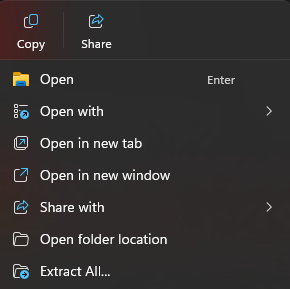
Windows 11 should automatically extract the.zip archive and display the .exe when you double click on the downloaded .zip file. Double click the .exe and follow the instructions on screen. If it doesn’t, please right click on the downloaded .zip file and select “Extract All” (bottom option on the image below) and follow the instructions on screen.